
Reading support for dyslexia
A calmer way to read with dyslexia.
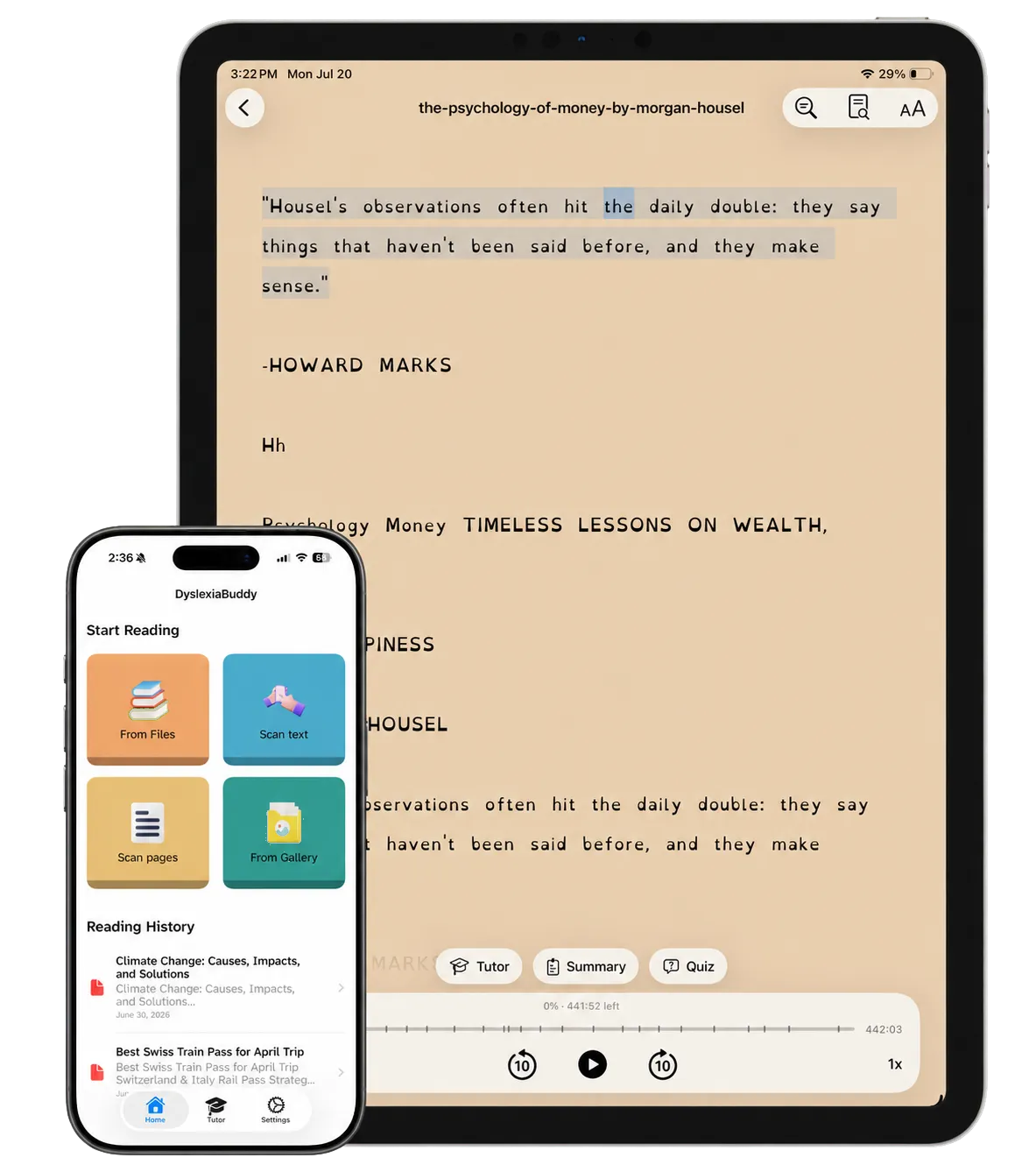
Scan a worksheet, import a PDF, or open one of 14 free classic books. DyslexiaBuddy reads aloud, follows each word, and gives readers a clear place to ask for help.
Free to download · In-app purchases · iPhone, iPad, and Mac
Built with educators. Recognized by the press.


See what changes when reading gets hard.
A short tour through the real app—from the page in front of you to the help you need next.
-
1.0
Make the page feel readable.
Change the font, colors, text size, line height, and letter spacing while previewing every choice. Switch reading surfaces without leaving the page, and choose from familiar and dyslexia-friendly fonts.
-
2.0
Choose a voice, then follow along.
Pick a voice, set the pace, and follow the highlighted text while DyslexiaBuddy reads aloud. Use any English voice on your device, try a premium voice before you subscribe, or add 28 human-sounding voices with premium. A short guide shows how to download more free voices from Apple.
-
3.0
Ask for a clearer starting point.
Turn a long document into a short summary, or ask the reading tutor a question without leaving the passage. Summaries surface the main ideas in simpler points, and the tutor stays alongside the imported document.
-
4.0
Practice the words that slowed you down.
Return to unfamiliar words as simple review cards, check the definition, and mark what needs another pass. Saved words become a focused practice set, and readers decide what they know and what to revisit.
Soft on the surface. Serious underneath.
- On-device definitionsAsk what a word means without sending the passage away.
- Offline reading toolsScan, read aloud, and define words wherever learning happens.
- Saved reading historyReturn to a worksheet, article, or book without starting over.
- Reader-controlled settingsFonts, colors, spacing, and voices adapt to individual preferences.
- A free book library14 classic children's books, sorted by age and topic, ready to read on day one.
- Every Apple deviceThe same reader on iPhone, iPad, and Mac. On iPad, the reader toolbar now has fewer, clearer buttons.
Start free. Add more support when it helps.
The App Store lists a free download with monthly, yearly, and lifetime options for premium tools.
-
Free download
Custom reading settings, scanning, PDF import, saved text, the free book library, and read-aloud with the voices on your device.
$0 -
Monthly
Premium voices, definitions, summaries, and the AI reading tutor.
$3.99 -
Yearly Recurring
The same premium reading support, billed once per year.
$39.99 -
Lifetime
A one-time purchase listed in the U.S. App Store.
$69.99
Prices shown in USD and may vary by region.
Questions parents and educators ask first.
Plain answers before anyone downloads.
Is DyslexiaBuddy only for children?
No. The reading tools can also support adults working through reports, documents, study material, or books.
Can the app work offline?
Yes. The App Store listing says scanning, reading tools, and on-device word definitions can work without an internet connection.
Which devices are supported?
DyslexiaBuddy is available for iPhone, iPad, and Mac. It is built for iOS 27 and also works on iOS 26. Some features, such as the tutor, need a device with Apple Intelligence.
Are there books to read in the app?
Yes. The Library tab has 14 free public-domain books, such as The Tale of Peter Rabbit, The Wonderful Wizard of Oz, and Treasure Island. They are sorted by age, from first stories for ages 5 to 7 to classic novels for ages 10 and up, and they work offline.
Does one reading setup work for everyone?
No. Readers can adjust fonts, colors, line spacing, text size, voice, and speed to find a setup that works better for them.